EN
EN
TH

Highlights

Good rates,
low fees

Fixed fee at
฿ 99 or ฿ 199

Real-time transfer
with status tracking

Receive money in as fast as 2 minutes*

Online transactions 24/7

convenient, fast, anywhere, anytime

Multiple
receiving methods

Bank account, E-Wallet
and cash pickup

100% free refunded on your first transfer*

Promotion date : 1 April – 31 May 2026

Terms and Conditions

Compare rates, get the best deal

Compare today’s exchange rates and fees across different providers to find the best foreign exchange rate

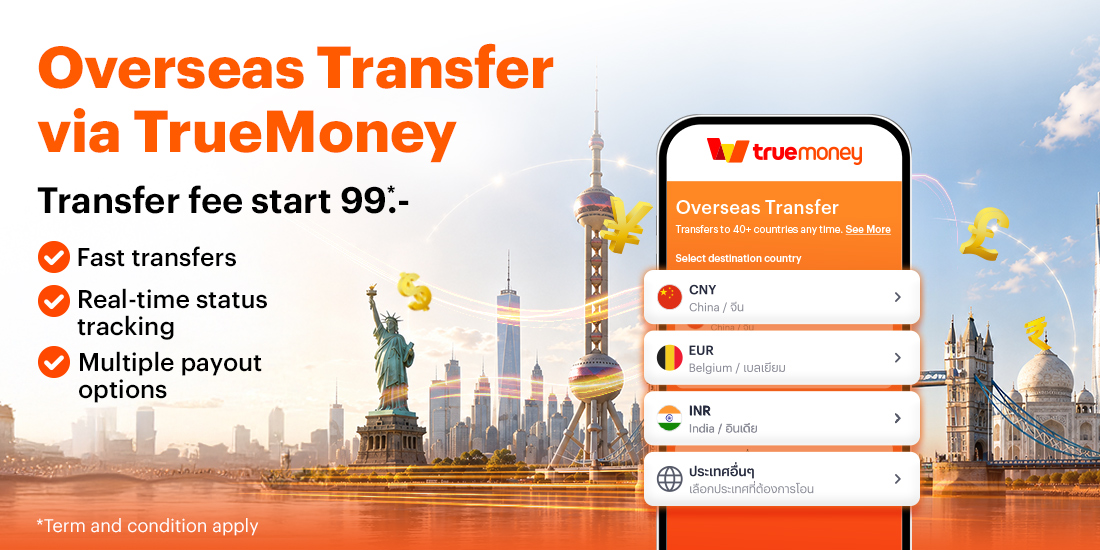
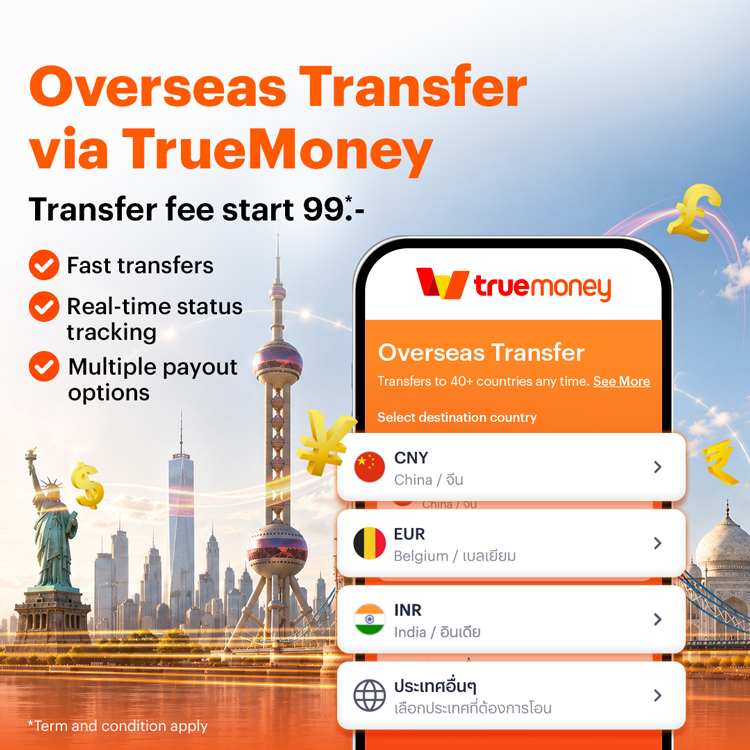
Transfer to 40+ countries 
around the world

Online transactions are available 24 hours
for both Thai and foreign users.

Supported Countries
See All

Methods of Receiving Money

Select the destination country to view details

Supported destinations

Instructions

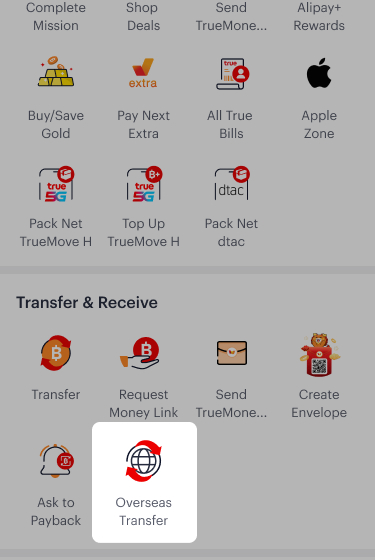
1. Select Overseas Transfer

1. Select Overseas Transfer

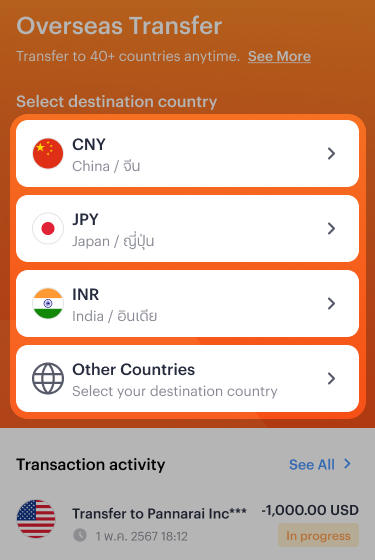
2. Select destination country

2. Select destination country

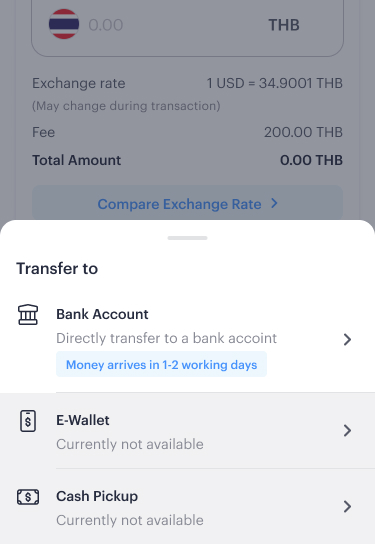
3. Select receiving method

3. Select receiving method

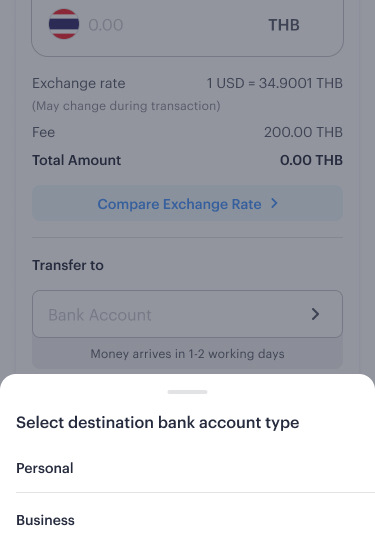
4. Select destination account type

4. Select destination account type

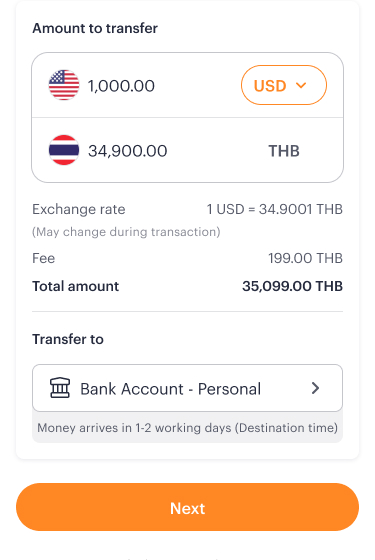
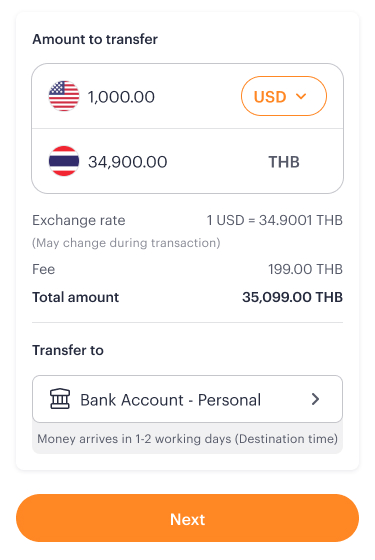
5. Enter the amount you wish to transfer. The system will display the real-time exchange rate and transaction fee.

5. Enter the amount you wish to transfer. The system will display the real-time exchange rate and transaction fee.

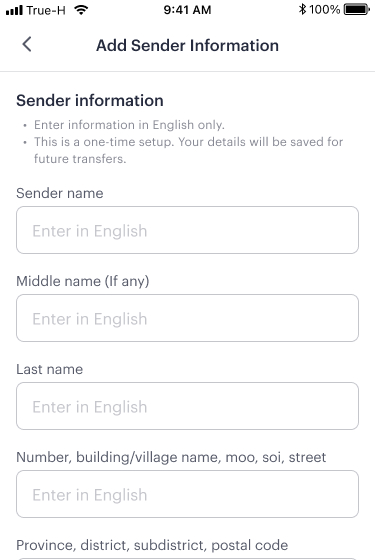
6. Enter your personal information as the sender. TrueMoney will verify your account details. If additional verification is required, TrueMoney will notify you via the TrueMoney app.

6. Enter your personal information as the sender. TrueMoney will verify your account details. If additional verification is required, TrueMoney will notify you via the TrueMoney app.

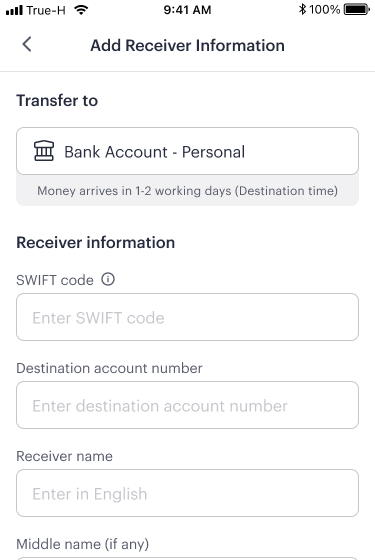
7. Provide the receiver’s details.

7. Provide the receiver’s details.

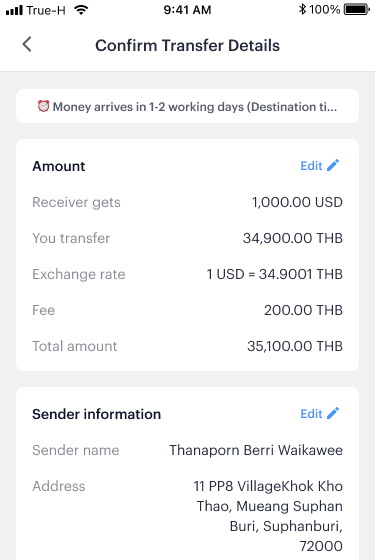
8. Confirm the transaction information

8. Confirm the transaction information

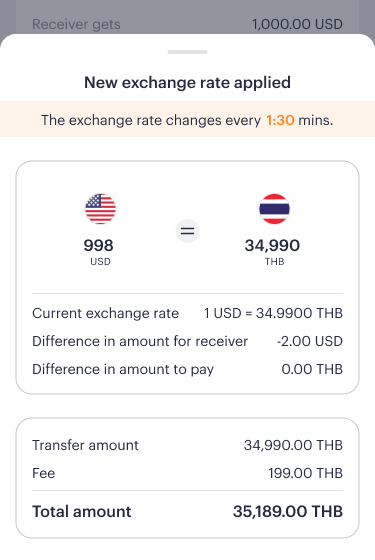
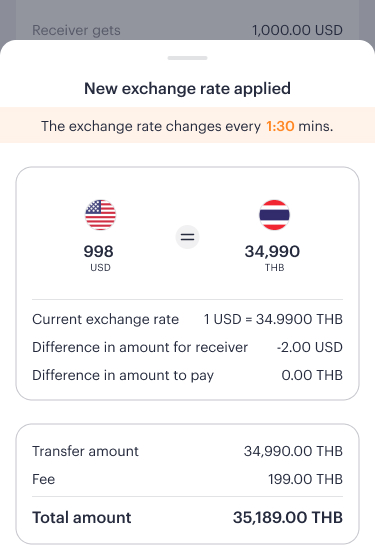
9. If the exchange rate changes during the transaction, the system will display an alert. You can either proceed or adjust the transfer amount.

9. If the exchange rate changes during the transaction, the system will display an alert. You can either proceed or adjust the transfer amount.

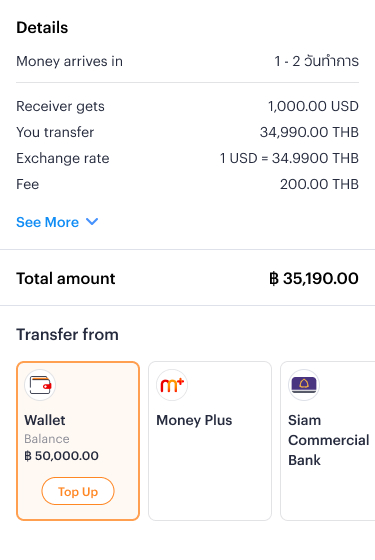
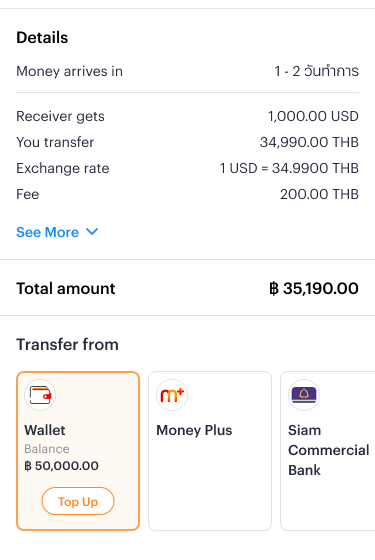
10. Select the source of funds and confirm the transaction.

10. Select the source of funds and confirm the transaction.

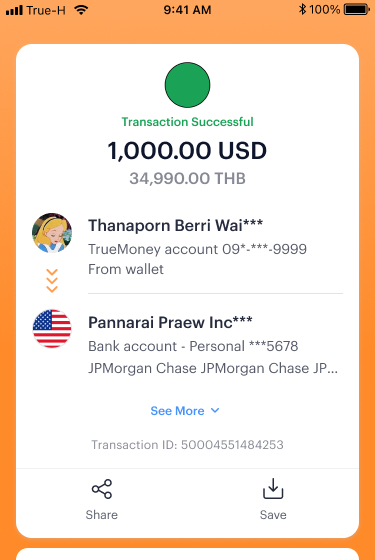
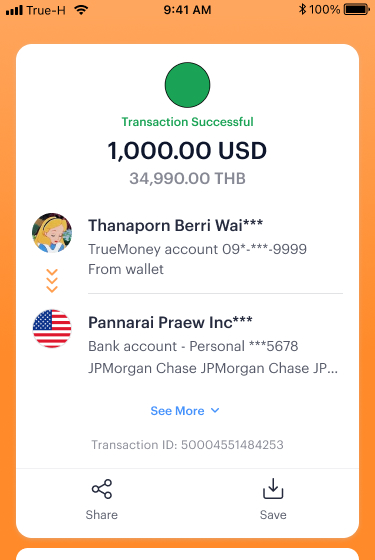
11. Transfer request is completed. TrueMoney will provide transaction evidence

11. Transfer request is completed. TrueMoney will provide transaction evidence

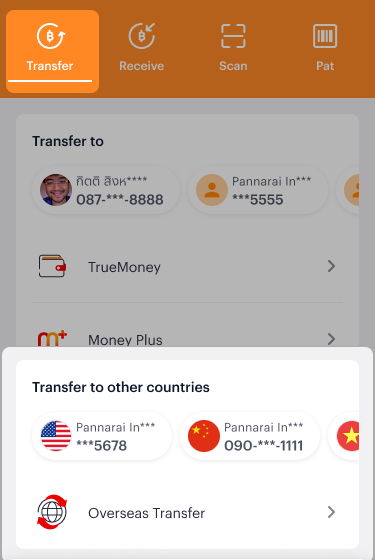
1. Go to “Transfer’ tab and select recent destination account.

1. Go to “Transfer’ tab and select recent destination account.

2. Enter the amount you wish to transfer. The system will display the real-time exchange rate and transaction fee.

2. Enter the amount you wish to transfer. The system will display the real-time exchange rate and transaction fee.

3. Confirm the transaction information

3. Confirm the transaction information

4. If the exchange rate changes during the transaction, the system will display an alert. You can either proceed or adjust the transfer amount.

4. If the exchange rate changes during the transaction, the system will display an alert. You can either proceed or adjust the transfer amount.

5. Select the source of funds and confirm the transaction.

5. Select the source of funds and confirm the transaction.

6. Transfer request is completed. TrueMoney will provide transaction evidence

6. Transfer request is completed. TrueMoney will provide transaction evidence

1. Select Overseas Transfer

1. Select Overseas Transfer

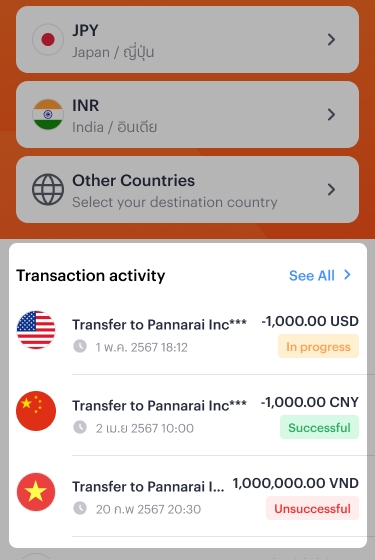
2. Go to Transaction Activity

2. Go to Transaction Activity

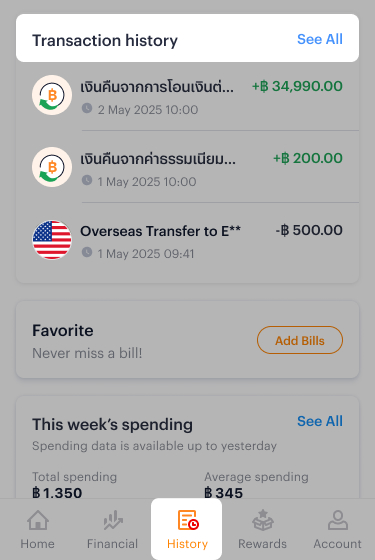
1. Select “History” menu and go to “Transaction history”

1. Select “History” menu and go to “Transaction history”

2. Select the transaction

2. Select the transaction

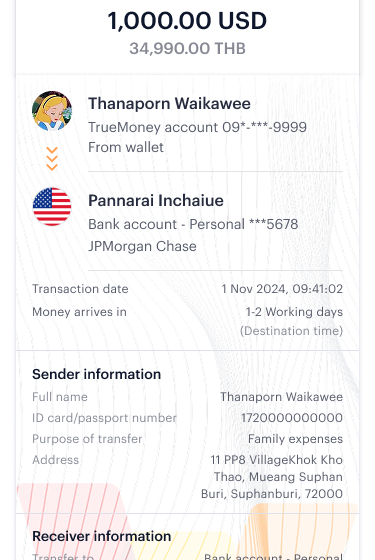
3. System will show transaction evidence

3. System will show transaction evidence

FAQ

TrueMoney offers international money transfer services to 44 destination countries worldwide. Users can enjoy the following benefits:

1. Lower cost with transparent exchange rates and a single fee
Receive funds directly in the destination country’s currency at the real-time exchange rate at the moment of the transaction. No additional fees or hidden margins from multiple currency conversions.
Senders pay a flat fee of only THB 99 or THB 199, depending on the destination country.*

2. Flexible for every need
Transfer money for various purposes, whether to a bank account, e-wallet, or cash pickup. Supports both individual and corporate recipients.

3. More convenience with frequent use
Save recent transactions to enable faster transfers without re-entering recipient details.

4. Reliable with transaction tracking and advanced security
Track transaction status anytime via the TrueMoney app. TrueMoney partners with leading global security providers to ensure safe and secure transactions at every step.

*Fees may vary depending on promotional terms and conditions.

The estimated time for funds to be received at the destination can be checked in advance and varies depending on the recipient country as table below

Money arrives in (destination time)
CURRENCY COUNTRY BANK ACCOUNT E-WALLET SELF RECIEVE AT SERVICE POINT
AUD Australia / ออสเตรเลีย 1 – 2 business days    
CNY China / จีน   within 2 hours  
EUR Andorra / อันดอร์รา within 2 hours – 2 business days    
Austria / ออสเตรีย    
Belgium / เบลเยียม    
Bulgaria / บัลแกเรีย    
Croatia / โครเอเชีย    
Cyprus / ไซปรัส    
Czech Republic/ สาธารณรัฐเช็ก    
Denmark / เดนมาร์ก    
Estonia / เอสโตเนีย    
Finland / ฟินแลนด์    
France/ ฝรั่งเศส    
Germany / เยอรมนี    
Greece / กรีซ    
Hungary / ฮังการี    
Ireland / ไอร์แลนด์    
Iceland / ไอซ์แลนด์    
Italy / อิตาลี    
Latvia / ลัตเวีย    
Liechtenstein / ลิกเตนสไตน์    
Lithuania / ลิทัวเนีย    
Luxembourg / ลักเซมเบิร์ก    
Malta / มอลตา    
Monaco / โมนาโก    
Netherlands / เนเธอร์แลนด์    
Norway / นอร์เวย์    
Poland / โปแลนด์    
Portugal / โปรตุเกส    
Romania / โรมาเนีย    
San Marino / ซานมารีโน    
Slovakia / สโลวะเกีย    
Slovenia / สโลวีเนีย    
Spain / สเปน    
Sweden / สวีเดน    
Switzerland / สวิตเซอร์แลนด์    
Vatican City / นครรัฐวาติกัน    
GBP United Kingdom / สหราชอาณาจักร within few minutes    
INR India / อินเดีย 1 – 2 business days within 2 hours within 2 hours
JPY Japan / ญี่ปุ่น 1 – 2 business days    
LKR Sri lanka / ศรีลังกา within 2 hours – 1 business days within 2 hours within 2 hours
NPR Nepal / เนปาล 1 business days within 2 hours within 2 hours
USD United States / สหรัฐอเมริกา 1 – 2 business days    
VND Vietnam / เวียดนาม within 2 hours   within 2 hours
99 THB Fee (Asian Destinations) / per time

Currency code Country
CNY China
INR India
JPY Japan
NPR Nepal
LKR Sri Lanka
VND Vietnam

199 THB Fee (Western & European Destinations) / per time

Currency code Country
EUR Andorra, Austria, Belgium, Croatia, Cyprus, Estonia, Finland, France, Germany, Greece, Ireland, Italy, Latvia, Lithuania, Luxembourg, Malta, Monaco, Netherlands, Portugal, San Marino, Slovakia, Slovenia, Spain, Vatican City
AUD Australia
GBP United Kingdom
BGN Bulgaria
HRK Croatia
CZK Czech Republic
DKK Denmark
HUF Hungary
ISK Iceland
CHF Liechtenstein
NOK Norway
PLN Poland
RON Romania
SEK Sweden
CHF Switzerland
The recipient account types (Individual or Juristic/Business) and disbursement channels (Bank Account, E-Wallet, or Cash Pickup) vary by destination country as follows:
See Details

You can easily track the status of your international transfer by following these steps: Open the TrueMoney app > Select “International Transfer” > Select “Transaction History

Understanding Your Transaction Status
1) In Progress This status means that the recipient’s bank or the local service provider is currently processing the transaction and verifying the details before crediting the funds to the recipient’s account.

2) Unsuccessful This status indicates that the transfer has been rejected. The funds are currently being processed for a refund back to your TrueMoney Wallet. Common reasons for a failed transaction include:

  • Incorrect recipient account information: (e.g., wrong account number or bank code).
  • Inactive account: The recipient’s account has not been used for a long period.
  • Account restrictions: The recipient’s account is not authorized to receive international funds.

Recommendation:
We recommend contacting the recipient to verify their account details and ensure the account is active before attempting the transfer again.

Money transfer license number MT125590006

Steps to check transfer status

1. Select Overseas Transfer

1. Select Overseas Transfer

2. Go to Transaction Activity

2. Go to Transaction Activity

Steps to transfer to a new destination account

1. Select Overseas Transfer

1. Select Overseas Transfer

2. Select destination country

2. Select destination country

3. Select receiving method

3. Select receiving method

4. Select destination account type

4. Select destination account type

5. Enter the amount you wish to transfer. The system will display the real-time exchange rate and transaction fee.

5. Enter the amount you wish to transfer. The system will display the real-time exchange rate and transaction fee.

6. Enter your personal information as the sender. TrueMoney will verify your account details. If additional verification is required, TrueMoney will notify you via the TrueMoney app.

6. Enter your personal information as the sender. TrueMoney will verify your account details. If additional verification is required, TrueMoney will notify you via the TrueMoney app.

7. Provide the receiver’s details.

7. Provide the receiver’s details.

8. Confirm the transaction information

8. Confirm the transaction information

9. If the exchange rate changes during the transaction, the system will display an alert. You can either proceed or adjust the transfer amount.

9. If the exchange rate changes during the transaction, the system will display an alert. You can either proceed or adjust the transfer amount.

10. Select the source of funds and confirm the transaction.

10. Select the source of funds and confirm the transaction.

11. Transfer request is completed. TrueMoney will provide transaction evidence

11. Transfer request is completed. TrueMoney will provide transaction evidence

Steps to transfer to a recent destination account

1. Go to “Transfer’ tab and select recent destination account.

1. Go to “Transfer’ tab and select recent destination account.

2. Enter the amount you wish to transfer. The system will display the real-time exchange rate and transaction fee.

2. Enter the amount you wish to transfer. The system will display the real-time exchange rate and transaction fee.

3. Confirm the transaction information

3. Confirm the transaction information

4. If the exchange rate changes during the transaction, the system will display an alert. You can either proceed or adjust the transfer amount.

4. If the exchange rate changes during the transaction, the system will display an alert. You can either proceed or adjust the transfer amount.

5. Select the source of funds and confirm the transaction.

5. Select the source of funds and confirm the transaction.

6. Transfer request is completed. TrueMoney will provide transaction evidence

6. Transfer request is completed. TrueMoney will provide transaction evidence

Steps to transfer to a recent destination account

1. Select “History” menu and go to “Transaction history”

1. Select “History” menu and go to “Transaction history”

2. Select the transaction

2. Select the transaction

3. System will show transaction evidence

3. System will show transaction evidence